Enterprise asset lifecycle management · 2026
uPALMS
Turning validated enterprise workflows into a role-aware, interactive UI prototype with AI-assisted delivery.
- Client
- Internal enterprise project
- Role
- UI/UX Designer
- Outcome
- Interactive frontend prototype for engineering review.
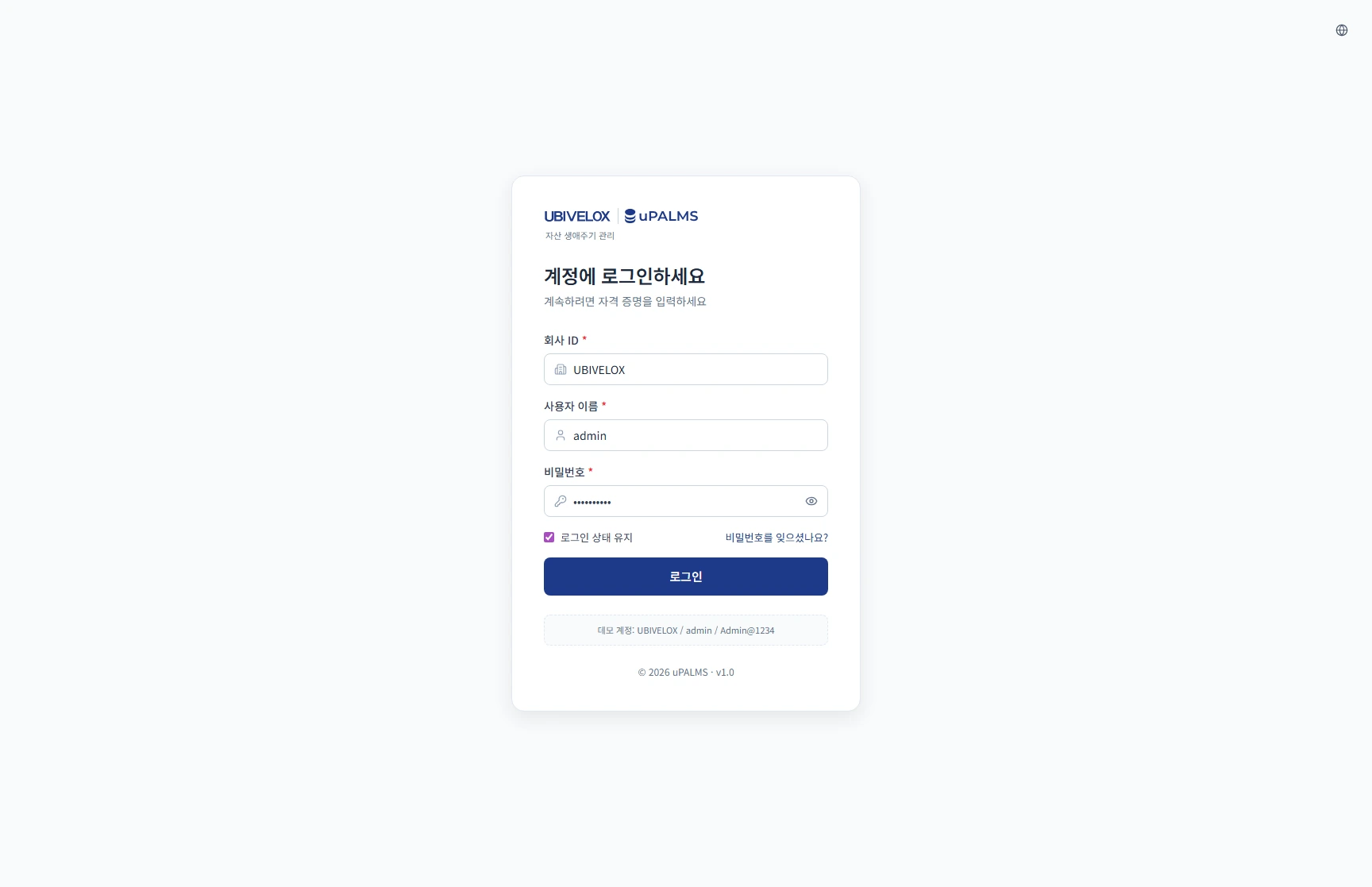
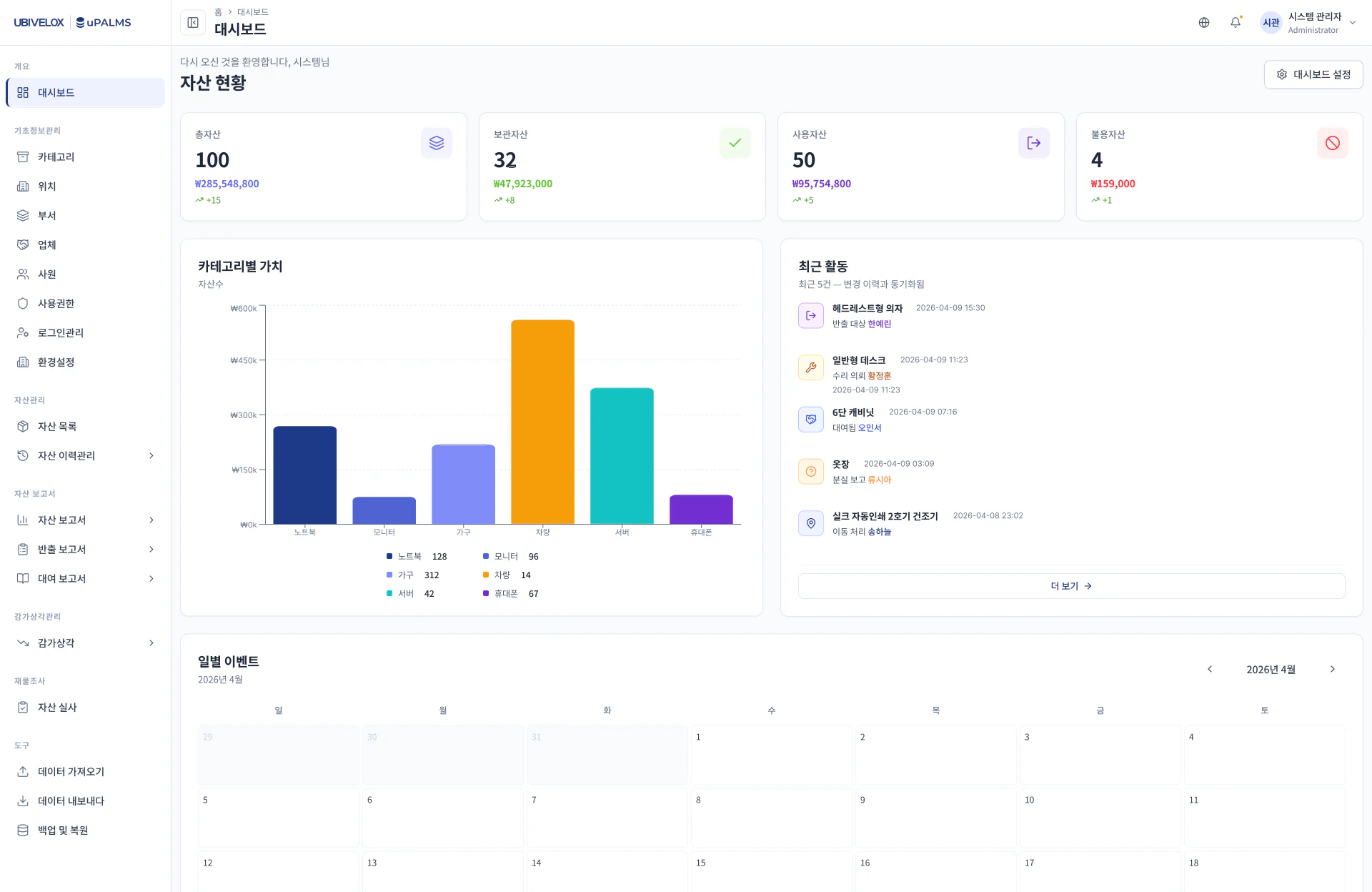
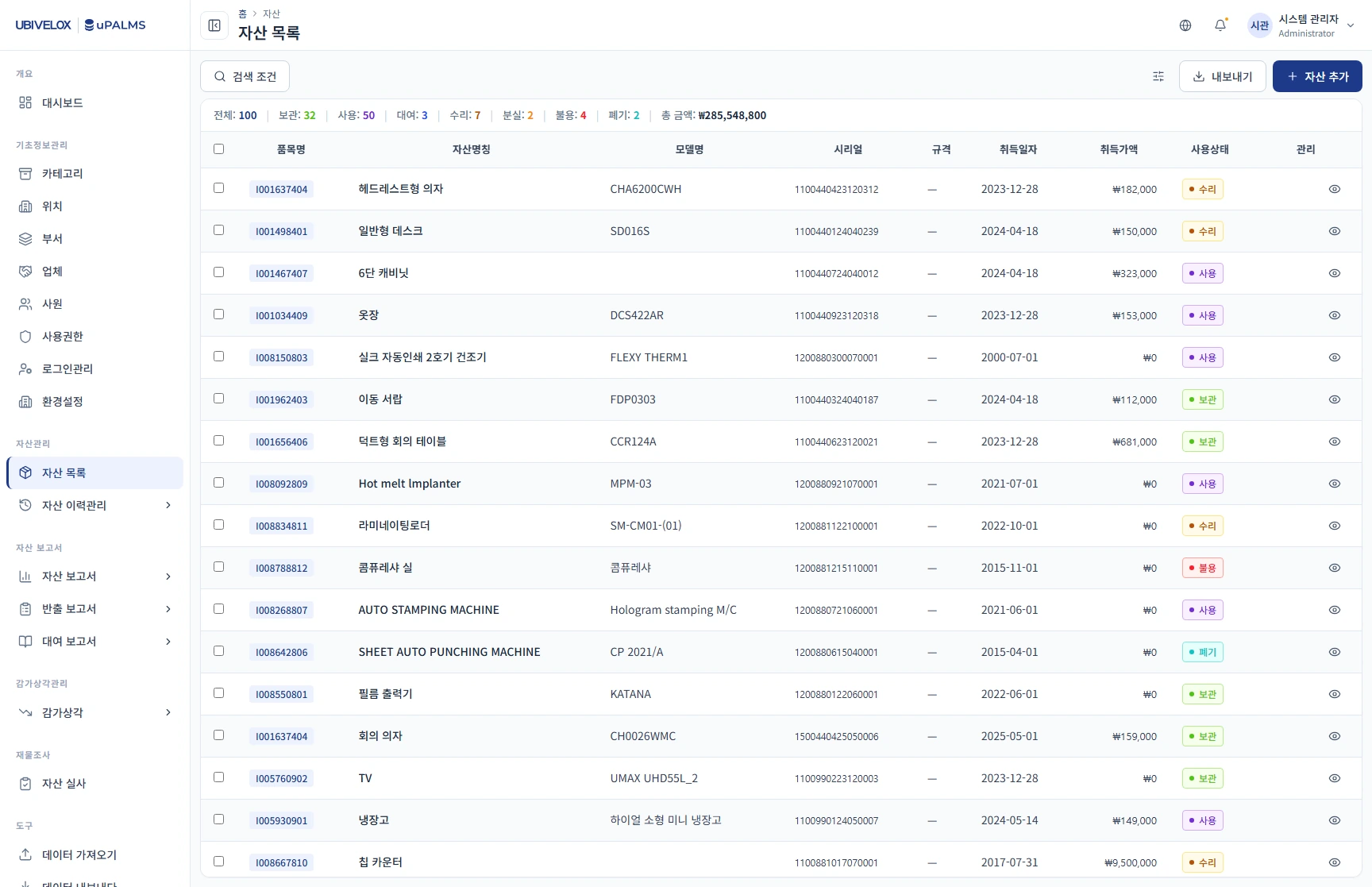
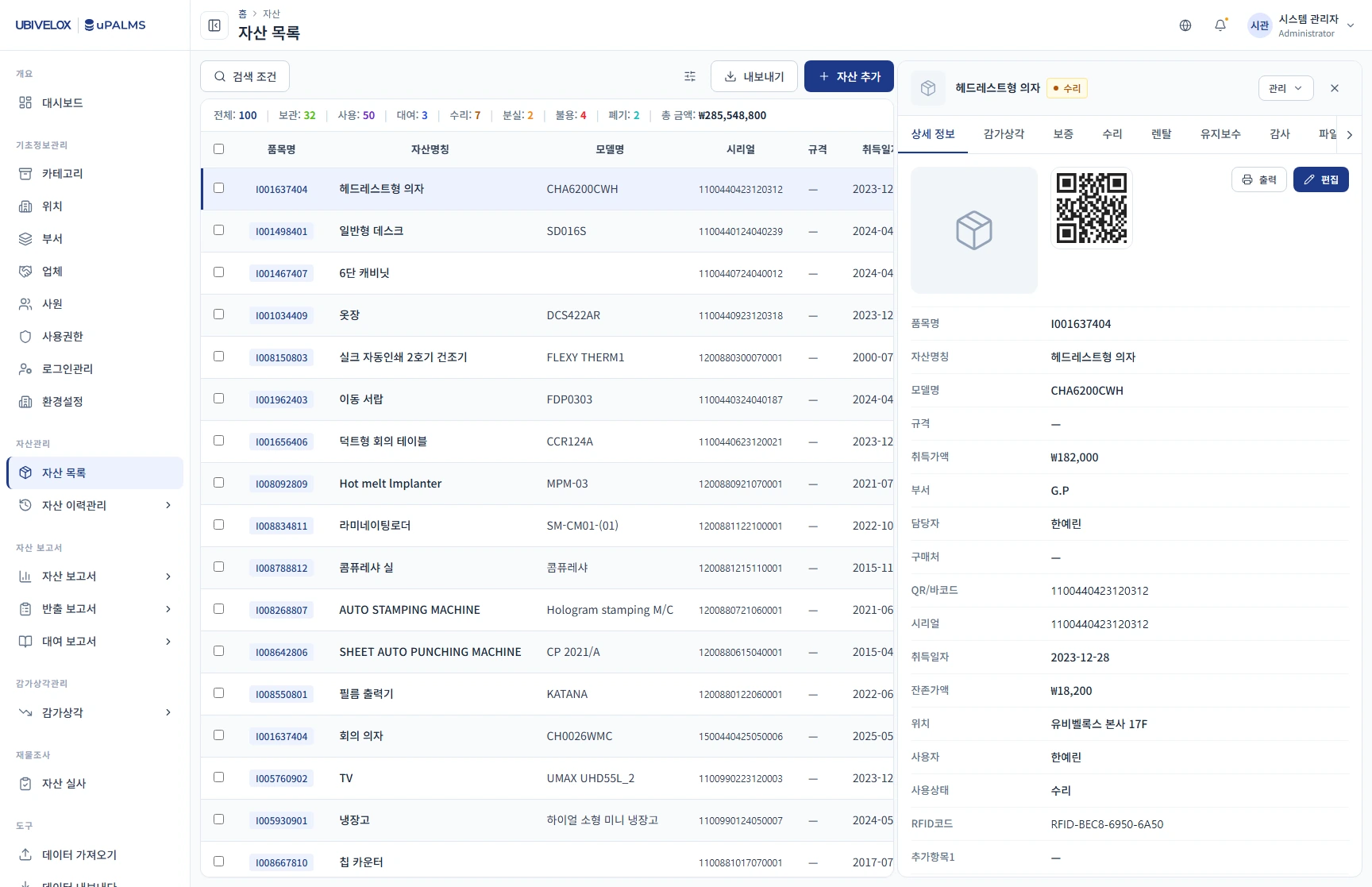
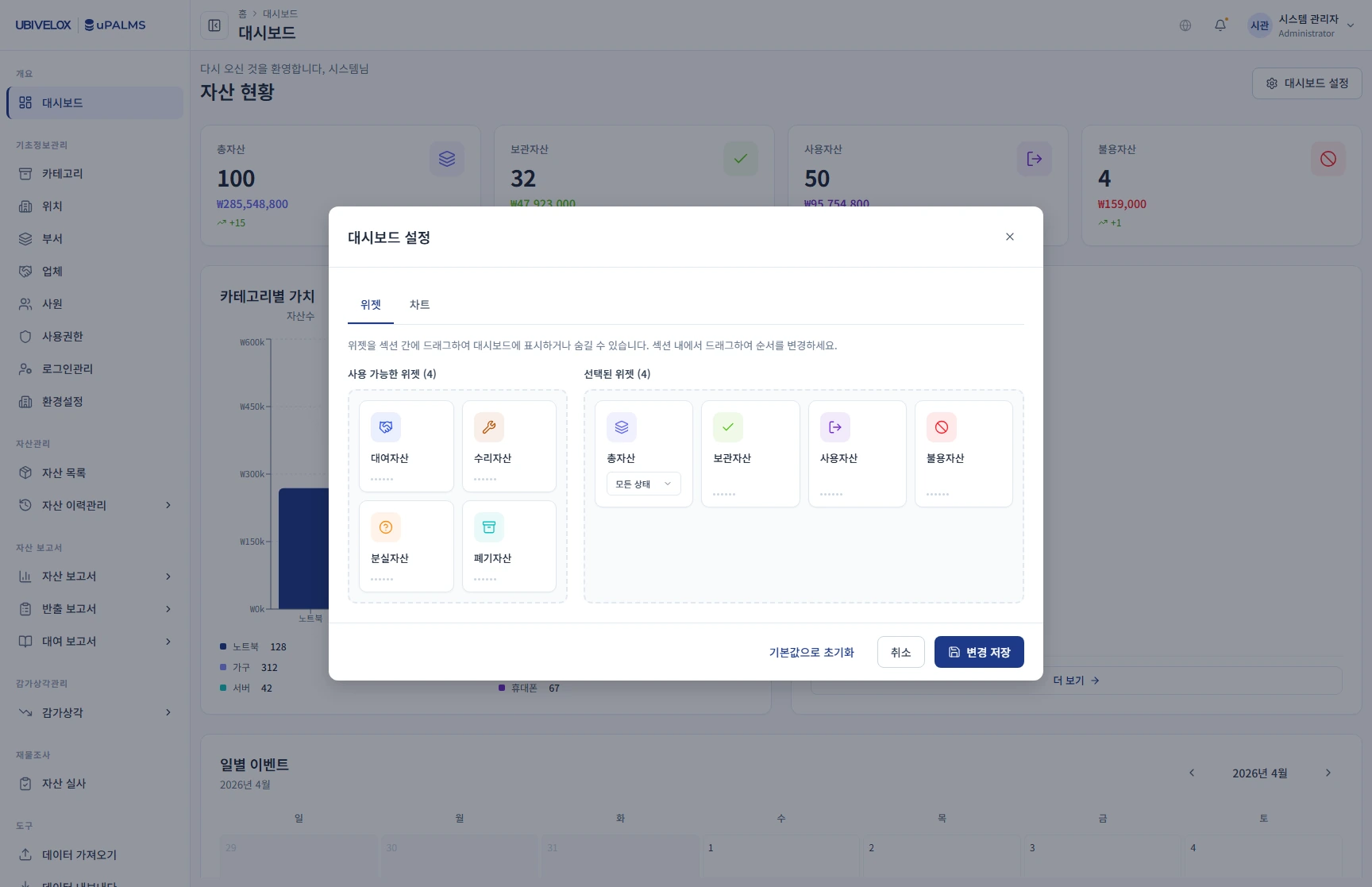
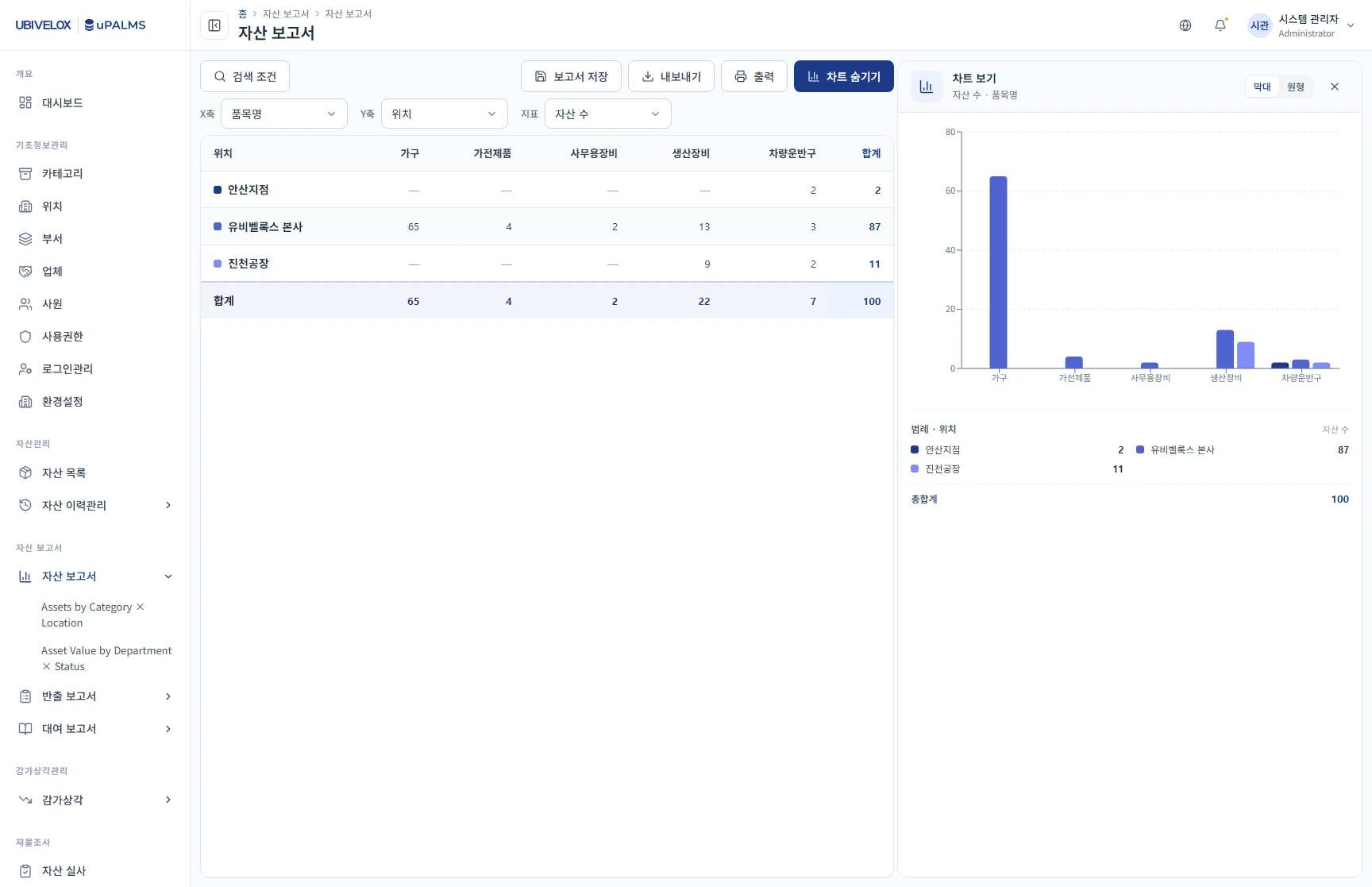
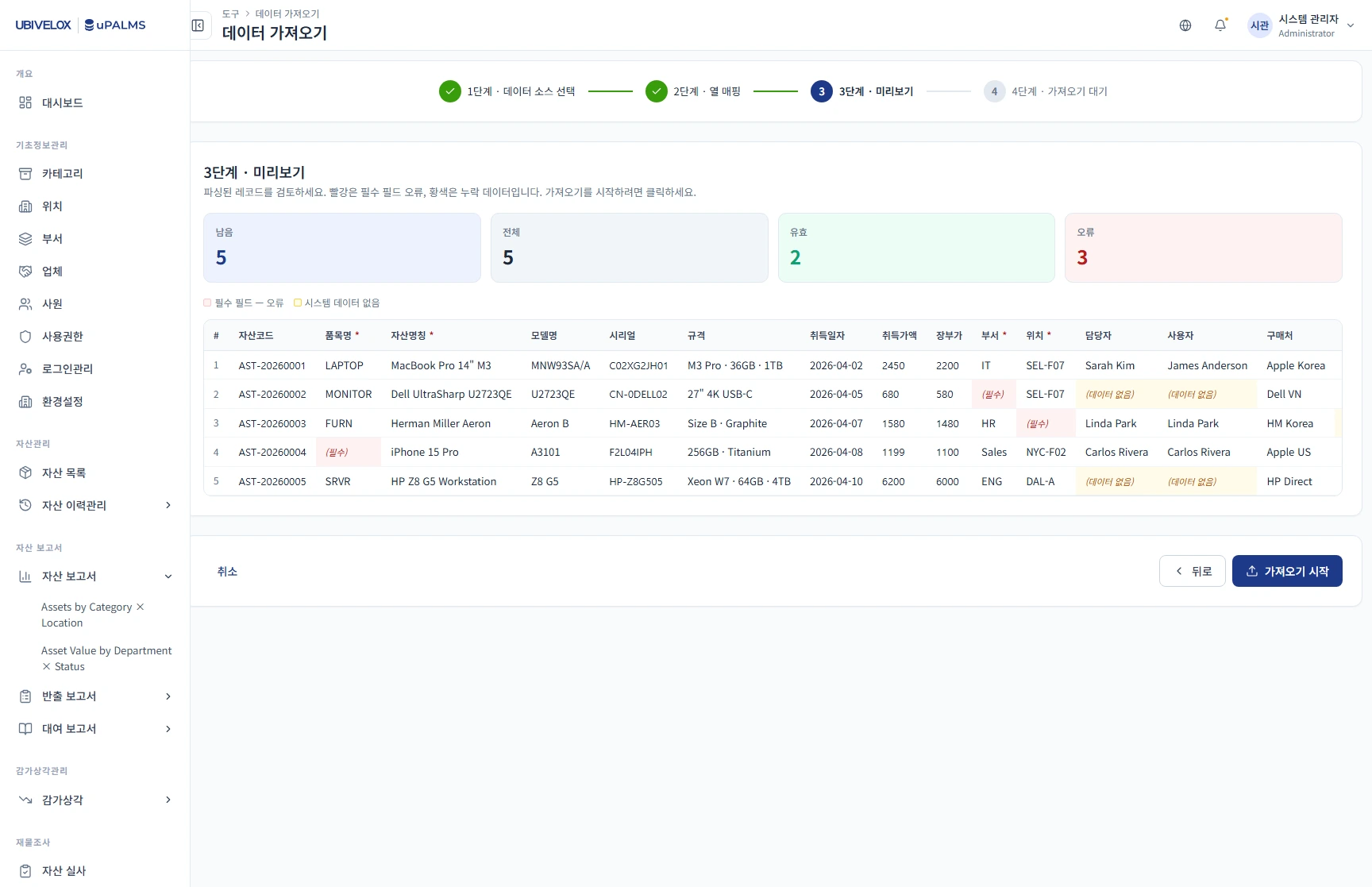
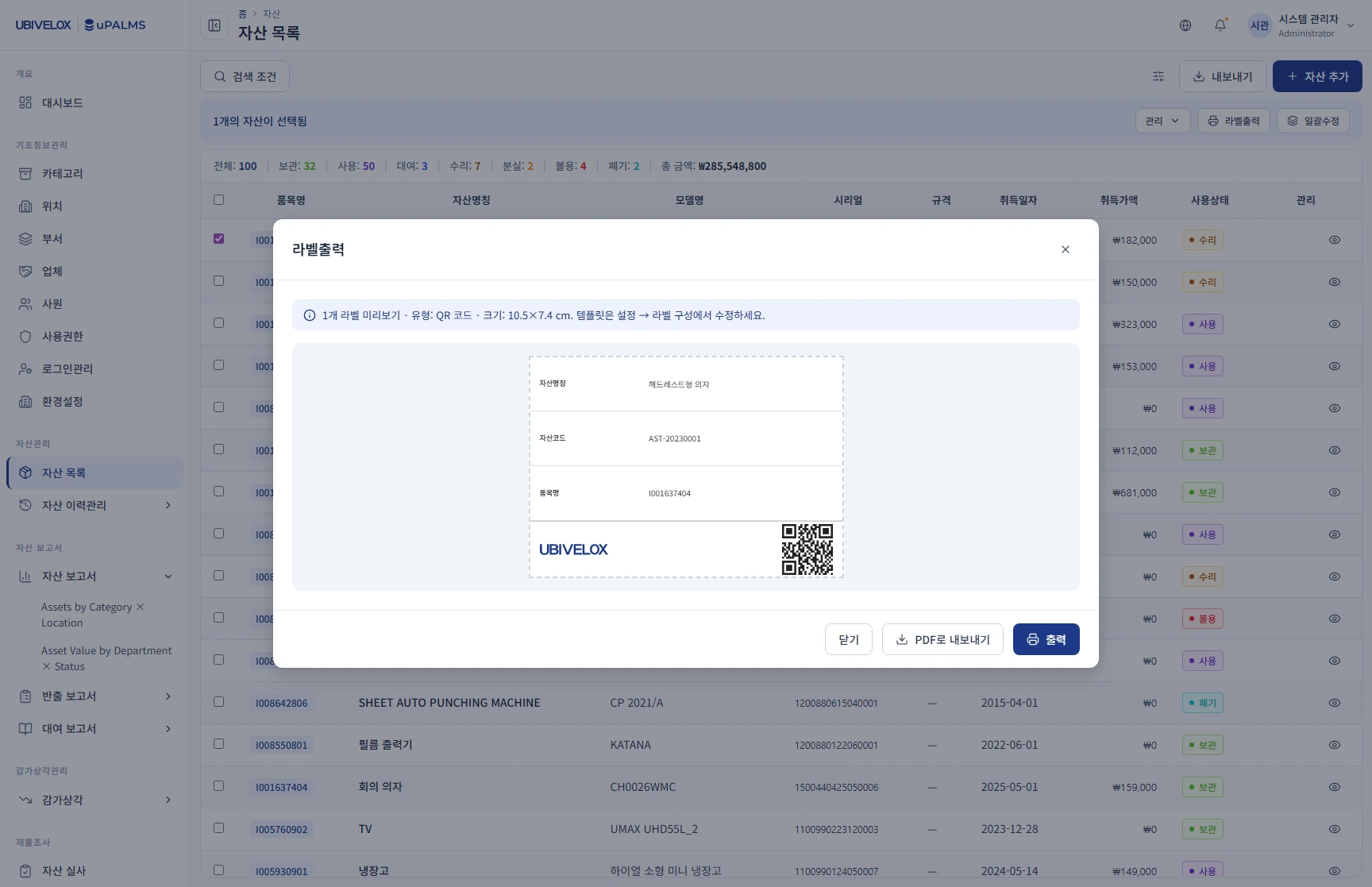
My Role
UI/UX Designer, owning the frontend prototype
I owned uPALMS from information structure to a working prototype, with Claude Code as the execution partner and validated workflows as the fixed input.
- Team
- A project manager, holding scope and review
- Documented workflows and approval rules, validated before design started
- Claude Code, generating the UI on my direction
- Human developers, implementing backend and API from the same documentation
- What I owned
- Information structure, role-aware behavior, and the decisions encoded in the interface
- The documentation set: SRS, per-module schemas, and project guidance
- Design system on Ant Design and Material Design 3, with six locked asset states
- The interactive prototype in Tailwind CSS: simulated data, Korean primary, English secondary
- Strategy & collaboration
- Split the product into a web control center and a mobile field instrument
- Made documentation the shared contract for designers, developers, and AI
- Let stakeholders review workflows by using the prototype, not by reading a description
- Sent business-rule changes back to stakeholder and engineering review
Context
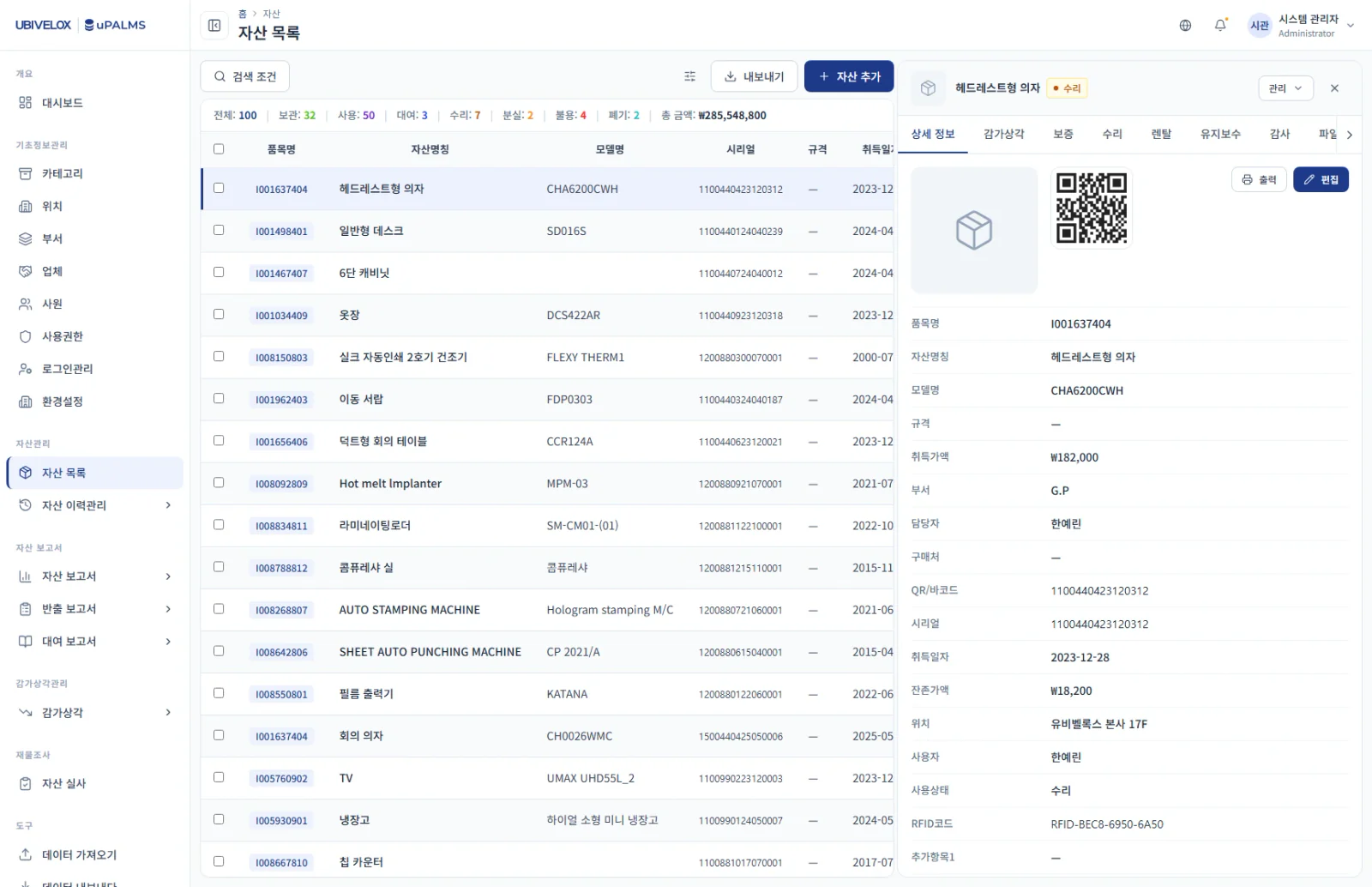
uPALMS is an internal enterprise asset-management prototype covering assignment, audit, depreciation, and disposal. Its operational workflows and approval rules had already been validated. The design challenge was to modernize how people worked with them without changing their meaning.
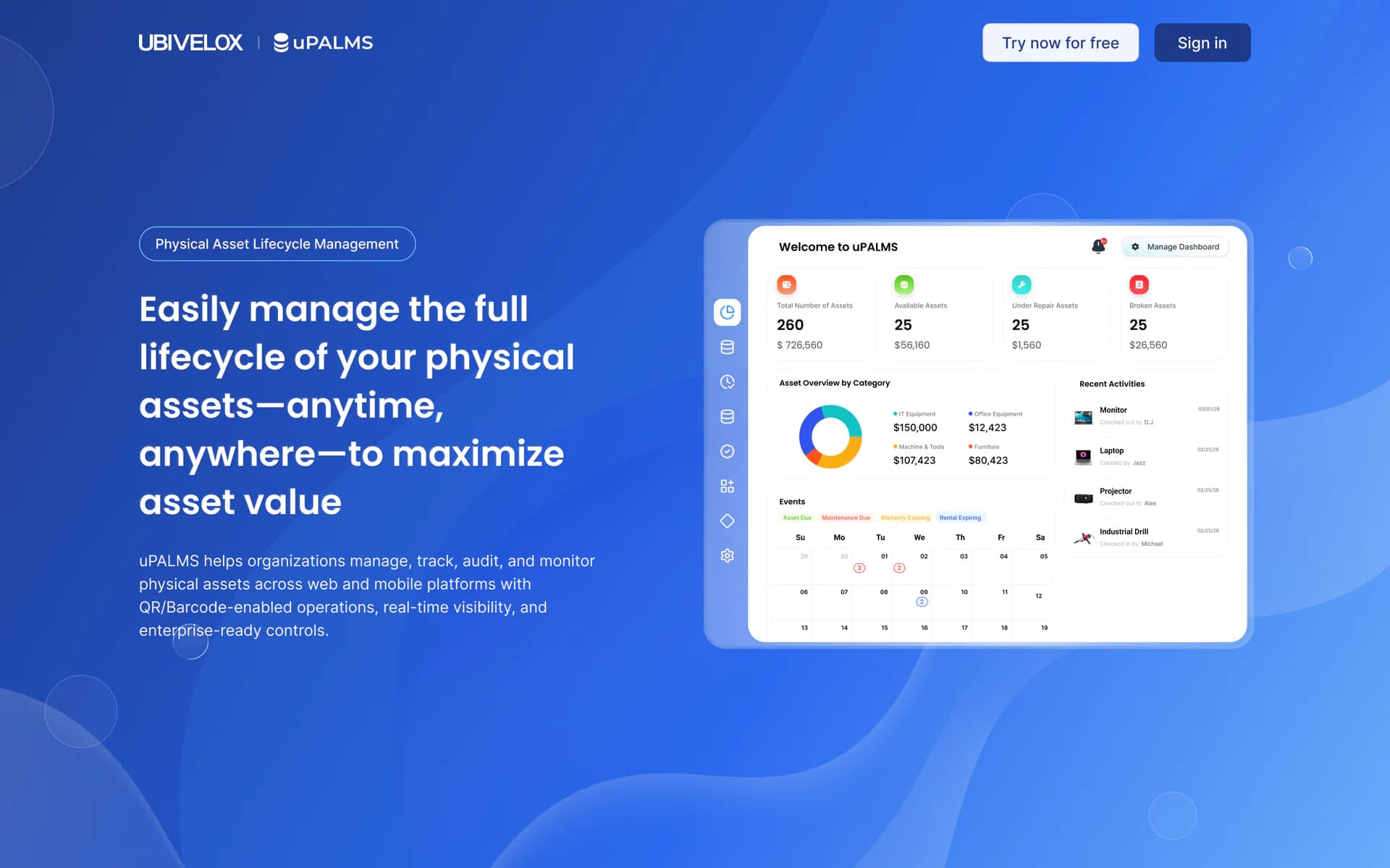
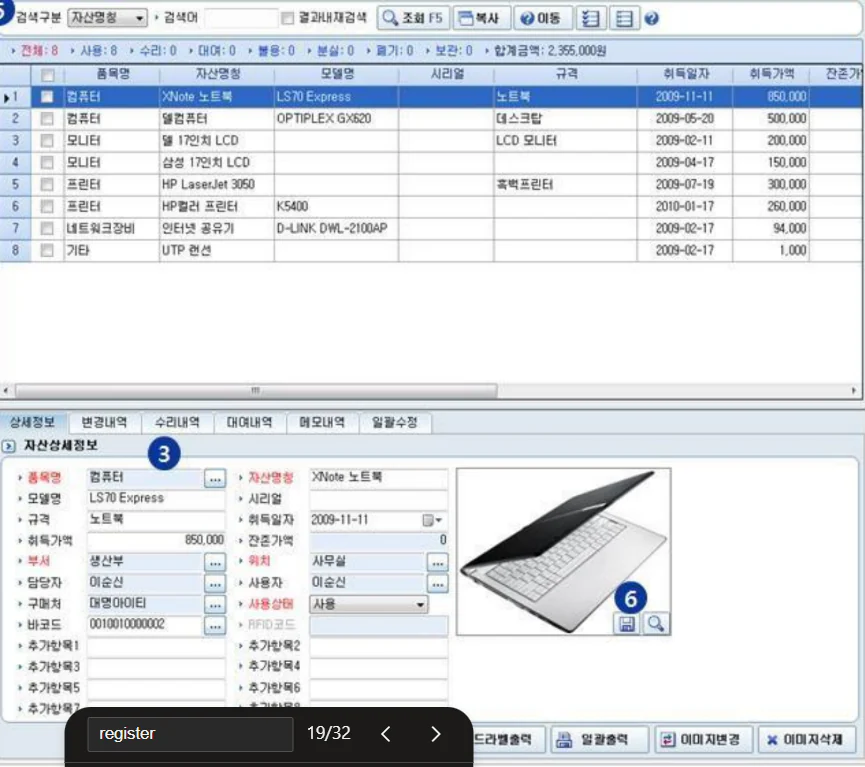
The legacy interface treated managers and field auditors alike: dense screens, configuration mixed with daily work, and laptop-dependent audits in warehouses.
Principle
Reviewing the workflows produced two organizing ideas. Web should operate as a control center for overview, configuration, and approval. Mobile should act as a field instrument for focused tasks such as scanning and audit. The same asset should remain legible across both contexts.
An asset is not stock—it has a life. Web controls that life; mobile witnesses it.
This lifecycle model organized the product around purchase, assignment, audit, depreciation, and disposal rather than a collection of disconnected administrative screens.
Decisions
Build the prototype in code with Claude Code
Instead of treating Figma screens as the main deliverable, I designed the interface directly as an interactive frontend prototype with Claude Code and Tailwind CSS. Simulated state and navigation let stakeholders review workflows by using them. AI accelerated UI assembly; my work concentrated on information structure, role-aware behavior, and the decisions encoded in the interface.
The workflow gave up some design-tool polish, but the handoff became clickable code rather than a static description.
Preserve process meaning while changing the surface
Documented approval chains and role permissions became fixed design constraints. I could simplify hierarchy, navigation, feedback, and device-specific interaction, but a change to business rules required separate stakeholder and engineering review.
Some apparent shortcuts were rejected because they altered a process the organization had already operationalized.
Make documentation the shared contract
The SRS, module-level schemas, and project guidance formed the source of truth for both human collaborators and Claude Code. Each screen began with its documented workflow and data contract. Figma remained useful for walkthroughs, but it no longer carried the project logic alone.
Reading and maintaining the contract adds preparation, but makes differences between requirements, prototype behavior, and later implementation easier to identify.
Design partner
Reader 01
UI/UX designer
Holds direction and navigation. Sets the brief, decides the system shape, and steers Claude Code turn-by-turn.
Reader 02
Claude Code
Holds execution capability. Reads the spec, generates the surface, applies revisions on direction from the designer.
Source of truth
Artifact 01
SRS document
Documented workflows and requirements.
Artifact 02
Per-module schemas
One file per module · the data shape.
Artifact 03
CLAUDE.md
Project-wide working contract.
Reader 03
Human developers
Read the same markdown to onboard, then implement backend and API against the schema. Also refactor the prototype code and fix bugs directly — the prototype is shipping code, not a static spec.
Figma · walkthrough surface for stakeholders
Reference surface · not source of truth
Sits on the side
Delivery
The deliverable is an interactive frontend prototype with simulated data and navigation. It models role-aware workflows for review; production persistence, security, backend integration, and engineering hardening remain future implementation work.
The design system fixes six asset states—Available, Leased, Checked Out, Broken, Disposed, and Lost—through shared status patterns so color and meaning do not drift between screens. Documentation sits beside the prototype, allowing interface decisions to be reviewed against the workflow that produced them.
Asset status · 6 locked states
- Available#10803a
- Leased#3b6cb8
- Checked Out#8a5e0c
- Broken#b8423a
- Disposed#4a4f57
- Lost#1f2228
Indigo brand scale
Neutral ramp
All six status states route through a single StatusTag component, so color and meaning never drift across the prototype. The same discipline holds for Tag and the rest of the surface primitives.
Outcome
Role-aware flows
modeled for hands-on review
Documented workflows
shared across design and engineering
Interactive prototype
handed forward for engineering review
The prototype provides a working reference for stakeholder evaluation, frontend refinement, and future backend integration. It is not a launched service or a claim of completed frontend engineering.
The project demonstrates how I use AI in practice: not to generate disconnected screens, but to connect requirements, system rules, design decisions, and working interface behavior in one reviewable artifact.
Try the prototype yourself (opens in a new tab)Next case study